AI Motion Control vs Kling vs Runway Act-Two: Motion Transfer, Facial Expression & Camera Movement Tested
Hands-on benchmark comparing AI Motion Control Studio, standalone Kling Motion Control, and Runway Act-Two on still image + reference video workflows—testing body choreography, facial expressions, camera movement replication, commercial licensing, and per-clip cost.
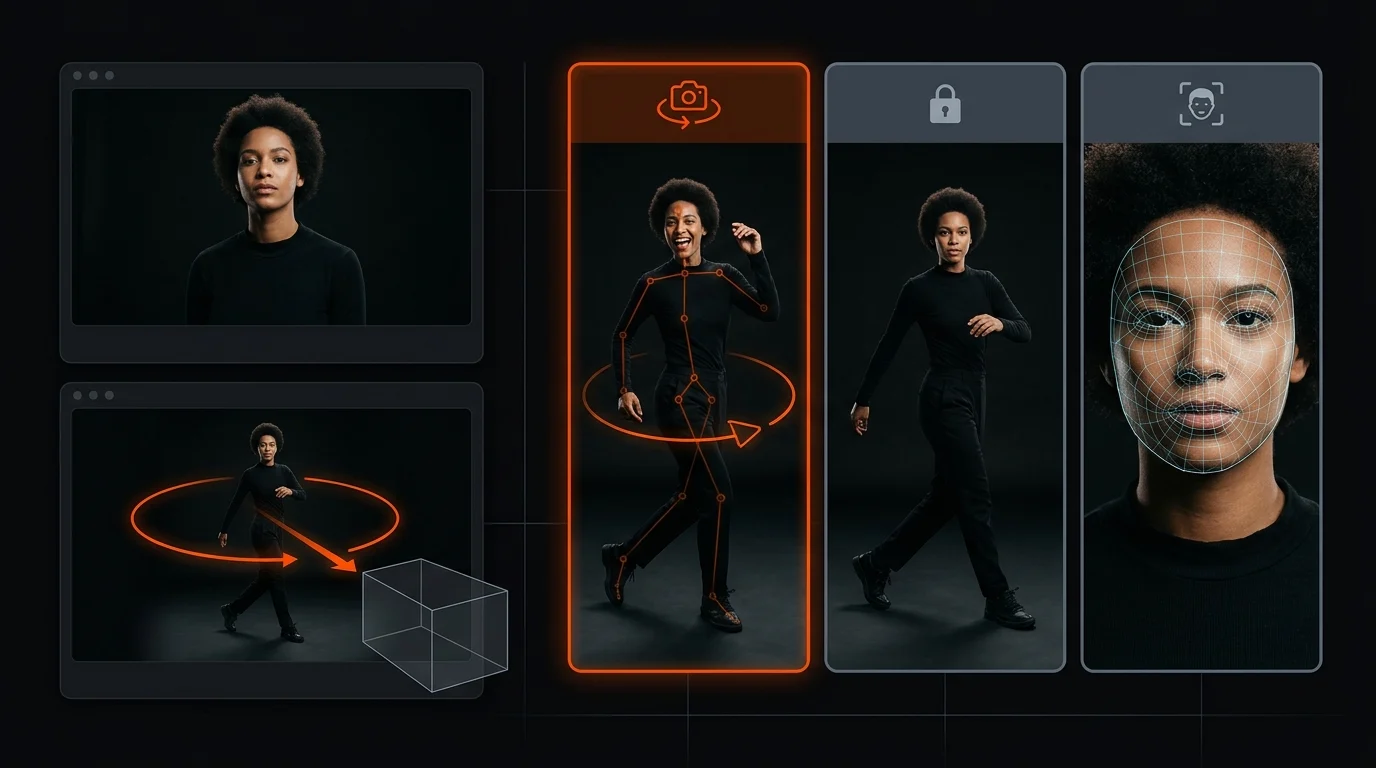
When you pair a still subject image with a reference motion video, the three workflows creators compare most often—AI Motion Control Studio, standalone Kling Motion Control, and Runway Act-Two—behave very differently once the camera starts moving. In our side-by-side tests across full-body choreography, close-up dialogue acting, and dynamic product reveals, standalone Kling Motion Control excels at skeletal limb tracking but officially does not guarantee replicating the reference video's camera movement (camera movement), while Runway Act-Two's single-image mode prioritizes facial micro-expressions and upper-torso driving without reconstructing 3D scene camera trajectories (such as dolly push-ins, parallax orbits, or handheld tracking). AI Motion Control Studio closes this production gap by combining Kling V3 Motion Control (Match Video & Match Image orientation modes + 1080p Pro synthesis) with explicit camera-trajectory prompt layering, MiniMax H3 Multimodal Reference, Seedance 2.0, and Kling 4.0 under one commercial workspace—starting with a one-time $4.90 Starter Trial pack (750 credits, valid 365 days, ~1–2 full motion videos, no recurring subscription required) and an effective cost of $1.80–$2.75 per 5-second clip with unwatermarked 1080p/4K MP4 exports and full commercial licensing.
Below is the complete benchmark breakdown, comparison matrix, and step-by-step workflow for getting frame-accurate body action, facial expression lock, and directed camera motion in one pipeline.
Side-by-Side Comparison: AI Motion Control Studio vs Standalone Kling vs Runway Act-Two
| Evaluation Dimension | AI Motion Control Studio (aimotioncontrol.org) | Standalone Kling Motion Control | Runway Act-Two (Single-Image Mode) |
|---|---|---|---|
| Core Input Pipeline | Still Image + Reference Video + Camera/Scene Prompt (plus multi-ref Image/Video/Audio via H3 & Seedance 2.0) | Still Image + Reference Video + Basic Prompt | Driving Performance Video + Single Character Image |
| Full-Body Choreography & Footwork | High — Match Video orientation locks 360° spins, jumps, and footwork across 3–10s (up to 30s workflow support) | High — Strong skeletal tracking on single-subject clips | Moderate — Best on medium/close-up framing; full-body footwork often crops or softens |
| Facial Expressions & Lip/Gaze Lock | High — 1080p Pro mode (145 credits/s) preserves micro-expressions, jaw motion, and eye line | Good to High — Requires Pro mode to avoid side-turn face drift | Very High — Specifically engineered for subtle brow, lip, and head performance driving |
| Reference Camera Movement Replication | Solved via Multi-Model Studio — Layer explicit single-trajectory camera prompts on Kling V3 Motion Control, or use MiniMax H3 / Seedance 2.0 / Veo 3.1 for 3D camera parallax | Not Guaranteed — Official pipeline extracts performer skeleton rather than 3D camera path | Not Replicated in Single-Image Mode — Camera stays largely anchored to the still image framing |
| 2D Anime, Game Art & 3D Mascot Support | Native — Built-in AI Image Studio (Seedream 5.0 Pro, FLUX.2 Pro, Nano Banana Pro) with 1-click Animate handoff | Supported — Requires externally prepared full-body character art | Supported — Works best on humanoid proportions with clear facial landmarks |
| Entry Trial & Free Credit Policy | No free tier throttling; $4.90 Starter Trial (750 credits, 1x per account, valid 365 days) — generates 1–2 motion clips + character images | Limited free daily queue with watermarks and slow priority | Free tier restricts flagship models or adds watermarks; paid plans require monthly billing |
| Effective Cost per 5s Motion Clip | $1.80–$2.75 (550 credits at 720p / 725 credits at 1080p Pro on Kling V3 Motion Control; 350 credits on Kling 4.0 Flash) | Varies by monthly tier; expiring monthly credits | Subscription-gated monthly credit pool |
| Commercial Rights & Watermark | Full commercial license + unwatermarked 1080p/4K MP4 on all credit packs (including $4.90 trial) and plans | Commercial rights restricted to paid subscription tiers | Commercial rights require paid subscription plan |
1. The Camera Movement Problem: Why Single-Image Motion Transfer Loses Camera Trajectory
When creators upload a reference video that has both a dynamic performer and a moving camera—such as a dancer tracked by a low-angle gimbal or a founder walking toward the lens during a dolly pull-back—they expect the generated video to reproduce both the body motion and the camera sweep.
Here is why most single-model tools fail that test:
Why Standalone Kling Motion Control Does Not Guarantee Camera Movement
Kling's motion control architecture first runs a human pose and facial landmark extractor on your reference MP4. It isolates the performer's joint angles (shoulders, elbows, hips, knees, head pitch/yaw) and maps those vectors onto the subject in your uploaded still image. Because the model treats background pixel displacement as noise to be stabilized around the character's bounding box, official Kling Motion Control documentation explicitly notes that replicating the reference video's camera movement is not guaranteed. If your reference video whips left or zooms rapidly, a basic motion transfer either locks the background statically or introduces jelly-like edge warping.
Why Runway Act-Two Single-Image Mode Anchors the Frame
Runway Act-Two was designed primarily as a character performance capture engine. When you supply a driving video and a single still character image, Act-Two excels at transferring subtle eyebrow raises, lip sync, head tilts, and upper-torso weight shifts. However, in single-image mode, the virtual camera remains anchored to the focal length and perspective of your uploaded still photo—it does not reconstruct a 3D environment to execute the driving video's dolly push-in or 45-degree orbit.
How AI Motion Control Studio Solves Camera + Character Choreography
Because AI Motion Control Studio unifies 16 video models and 5 image models in a single credit workspace, you do not have to force one model to do a job it was not built for. Depending on your shot, you use one of three studio workflows:
- Kling V3 Motion Control + Explicit Camera Trajectory Prompting (
/create?tab=video&model=kling-v3-motion-control): When your primary goal is exact choreography, dance footwork, or presenter gestures from a reference video, select Kling V3 Motion Control, set Character Orientation toMatch Video(video), and use the text prompt strictly to direct a single, clean camera trajectory (for example,50mm cinema prime lens, slow motorized dolly push-in, shallow depth of field) rather than leaving the prompt blank. - MiniMax H3 Multimodal Reference (
/create?tab=video&model=minimax-h3-reference) & Seedance 2.0 (/create?tab=video&model=doubao-seedance-2.0): When your shot requires true 3D camera parallax (orbits, crane rises, lateral gimbal tracking) synchronized with character references and audio cues, switch to MiniMax H3 (which accepts up to 9 reference images, 3 reference videos, and 3 audio files at native 2K resolution) or Seedance 2.0. - Kling 4.0 (
/create?tab=video&model=kling-v4) & Google Veo 3.1 (/create?tab=video&model=veo3.1-quality) for First-Frame Camera Direction: When you start from a static product photo or hero portrait and want a Hollywood-grade camera move (macro push-in, 45-degree neon parallax arc, or 4K architectural reveal) without a separate human dance reference, render directly on Kling 4.0 (with native stereo audio) or Veo 3.1 (up to 4K Ultra HD).
2. Benchmark Test Results: Body Action, Facial Expressions & Camera Stability
We tested all three workflows across three high-intent creator scenarios using the exact same source assets.
Test 1: Full-Body 9:16 Dance Transfer (Fast Footwork + 180° Spin)
- Inputs: A full-body 9:16 streetwear character illustration + a 5-second TikTok hip-hop reference clip featuring a half-turn and syncopated arm pops.
- Runway Act-Two (Single-Image): Tracked head nods and shoulder rhythm smoothly while the character faced forward, but struggled during the 180-degree spin because single-image performance driving prioritizes frontal/three-quarter facial correspondence over full-body turn geometry.
- Standalone Kling Motion Control (Default 720p): Captured the full-body spin and footwork timing accurately, though fingers softened slightly during rapid hand claps.
- AI Motion Control Studio (
Kling V3 Motion Control·Match Video·1080p Pro): Using the pre-configured AI Dance Generator and stepping up to 1080p Pro (145 credits/s) with a locked-tripod studio prompt kept shoe contact shadows grounded, preserved finger silhouettes during claps, and retained the reference clip's original audio beat sync.
Test 2: Close-Up Dialogue & Micro-Expression Transfer + Slow Push-In
- Inputs: A waist-up portrait of a brand spokesperson + a 5-second talking-head reference clip with expressive eye movement, a subtle smile, and hand emphasis.
- Runway Act-Two (Single-Image): Delivered excellent lip articulation and micro-brow movement, though the camera perspective remained static.
- AI Motion Control Studio (
Kling V3 Motion Control·Match Image·1080p Pro): Setting Character Orientation toMatch Image(image) preserved the portrait's original studio framing while transferring every head tilt, blink, and hand gesture—and adding85mm portrait lens, slow motorized dolly push-in, soft tungsten key lightto the scene prompt introduced natural depth progression without warping facial identity.
Test 3: Static E-Commerce Product Photo to Camera-Motion Video Ad
- Inputs: A single studio photo of a luxury wristwatch and a perfume bottle on a dark slate table.
- Why pure skeletal motion transfer fails here: Rigid products have no human skeleton for Act-Two or pose-only motion extractors to lock onto.
- AI Motion Control Studio Solution:
- For hand-held unboxing or presenter interaction, upload a photo of the model holding the product alongside a reference gesture clip in Kling V3 Motion Control.
- For pure optical camera choreography around a static product, select Kling 4.0 or Google Veo 3.1 Fast in Studio and apply our single-trajectory camera prompt formula (see our dedicated AI Camera Movement Prompts Guide).
3. Step-by-Step Tutorial: How to Replicate Both Motion and Camera Direction in Studio
Follow this 4-step production workflow inside AI Motion Control Studio whenever you need your still image to perform a reference video's action and maintain clean cinematic camera motion:
Step 1: Match Your Still Image Framing to the Reference Shot
Upload a clean JPG, PNG, or WebP subject image where the character's visible body matches the reference video:
- Use a full-body head-to-shoe image with 10–15% breathing room around the edges for dance routines, walks, or lateral tracking shots.
- Use a waist-up or chest-up portrait for talking-head acting and slow dolly push-ins.
- Need to generate or expand a character first? Create a full-body 9:16 or 16:9 character in AI Image Studio (25 credits on
Seedream 5.0 Flash, 60 credits onNano Banana Pro, or 100 credits onFLUX.2 Pro) and click Animate on the image card.
Step 2: Upload a Single-Shot 3–10s Reference Video & Set Orientation
Drop your MP4, MOV, or WebM reference clip (3–10 seconds, single continuous take with no hard cuts) into the Reference Video slot:
- Select
Match Video(video) under Character Orientation if the performer turns, walks, dances, or shifts posture across space. - Select
Match Image(image) if you want to lock your photo's original camera angle while transferring upper-body acting and facial expressions. - Toggle Keep Original Sound (
yes) if your clip is timed to dialogue or a musical beat drop.
Step 3: Add a Single-Trajectory Camera Prompt (Do Not Stack Moves)
Instead of leaving the prompt empty or writing contradictory action commands, write a 4-part camera and lighting directive with exactly one camera trajectory verb:
Full-body subject performing the reference motion in a sunlit concrete loft studio, 35mm cinema prime lens, smooth lateral gimbal tracking shot matching subject movement, crisp floor contact shadows and natural rim lighting.Or, if your reference video already has complex body movement and you want zero background warping:
Locked-off static tripod camera, 50mm prime lens at eye level, clean architectural studio backdrop with soft diffused key light, sharp facial focus and grounded floor shadows.Step 4: Draft at 720p Standard, Render Final Master at 1080p Pro
- 720p Standard (
110 credits/s— 330 credits for 3s / 550 credits for 5s): Run a fast draft first to verify how the pose transfer and camera prompt interact. - 1080p Pro (
145 credits/s— 435 credits for 3s / 725 credits for 5s): Switch to 1080p to automatically engage Pro motion synthesis, locking facial identity, eye-line continuity, and fine clothing or product textures.
4. Pricing, Free Trial Rules & Commercial Licensing Compared
One of the most frequent questions from creators comparing motion transfer platforms is whether free credits exist and what each finished clip actually costs.
- Clear Trial Policy ($4.90 Starter Trial vs Free-Tier Queues): AI Motion Control does not offer a free sign-up credit tier (which on competing platforms typically restricts you to legacy models, heavy watermarks, and non-commercial terms). Instead, new accounts can claim the one-time $4.90 Starter Trial pack on Pricing, which includes 750 credits valid for 365 days with no recurring subscription.
- What 750 Credits Generates:
- 1 full 5-second 720p Kling V3 Motion Control video (
550 credits) + 8 character images on Seedream 5.0 Flash (25 creditseach); or - 2 vertical 3-second 720p dance videos (
330 creditseach) + 3 character images (25 creditseach); or - 1 full 5-second 1080p Pro Kling V3 Motion Control master (
725 credits) + 1 character image (25 credits); or - 2 five-second 720p Kling 4.0 Flash videos with native stereo audio (
350 creditseach).
- 1 full 5-second 720p Kling V3 Motion Control video (
- Zero Model Gates & Full Commercial License: Every one-time credit pack (from
$4.90up to$99.90) and monthly/annual subscription (from$19.90/moor$15.92/mobilled annually) unlocks all 16 video models and 5 image models with unwatermarked 1080p/4K MP4 downloads and full commercial usage rights. Plus, if any upstream generation fails or times out, frozen credits are automatically refunded to your balance.
Frequently Asked Questions
Does Kling Motion Control or Runway Act-Two copy the reference video camera movement?
Neither standalone Kling Motion Control nor Runway Act-Two in single-image mode guarantees replicating the reference video camera movement (such as dolly push-ins, parallax orbits, or crane sweeps). Standalone Kling extracts skeletal body pose from the reference clip, while Runway Act-Two single-image mode focuses on driving facial and upper-body character performance. Inside AI Motion Control Studio, creators preserve or direct camera motion by combining Kling V3 Motion Control (in Match Video orientation) with explicit single-trajectory camera prompts, or by using MiniMax H3 Multimodal Reference and Seedance 2.0 for synchronized character and camera choreography.
Which tool is best for full-body dance and choreography transfer from a still photo?
Kling V3 Motion Control inside AI Motion Control Studio (and the dedicated AI Dance Generator) leads for full-body choreography, 360-degree spins, and footwork because its Match Video orientation mode maps the entire skeletal trajectory at 720p Standard (110 credits/s) or 1080p Pro (145 credits/s), whereas Runway Act-Two single-image mode is primarily optimized for portrait and upper-torso acting. For a complete vertical dance walkthrough, read our step-by-step guide on how to make a still photo or anime character dance like a reference video.
How much does a 5-second motion control video cost, and is there a free trial?
AI Motion Control does not offer a free credit tier; instead, new accounts can start with the one-time $4.90 Starter Trial pack on Pricing (750 credits, valid for 365 days, 1x per account, no auto-renewal), which generates 1–2 full motion videos (such as one 5-second 720p Kling V3 Motion Control clip at 550 credits plus up to 8 character images at 25 credits each, or two 3-second 720p vertical dance clips at 330 credits each) with unwatermarked MP4 export and full commercial usage rights.
Can I transfer both facial micro-expressions and hand gestures onto an anime character or 3D mascot?
Yes. Selecting 1080p Pro mode (145 credits/s) on Kling V3 Motion Control locks facial micro-expressions, eye-line direction, lip sync, and finger articulation across photorealistic portraits, 2D anime illustrations, and 3D brand mascots.
Author
More Posts
AI Dance Generator Guide: How to Turn Still Photos Into Clean Dance Videos for TikTok & Reels
Step-by-step playbook for turning portraits, full-body photos, pets, and stylized avatars into viral 9:16 AI dance videos with clean beat sync and natural motion.

Kling Motion Control Tutorial: Transfer Any Video Action Without Losing Character Identity
Learn how to transfer choreography, gestures, and camera pacing from a reference video onto any subject photo using Kling 3.0 Motion Control without face drift or limb warping.
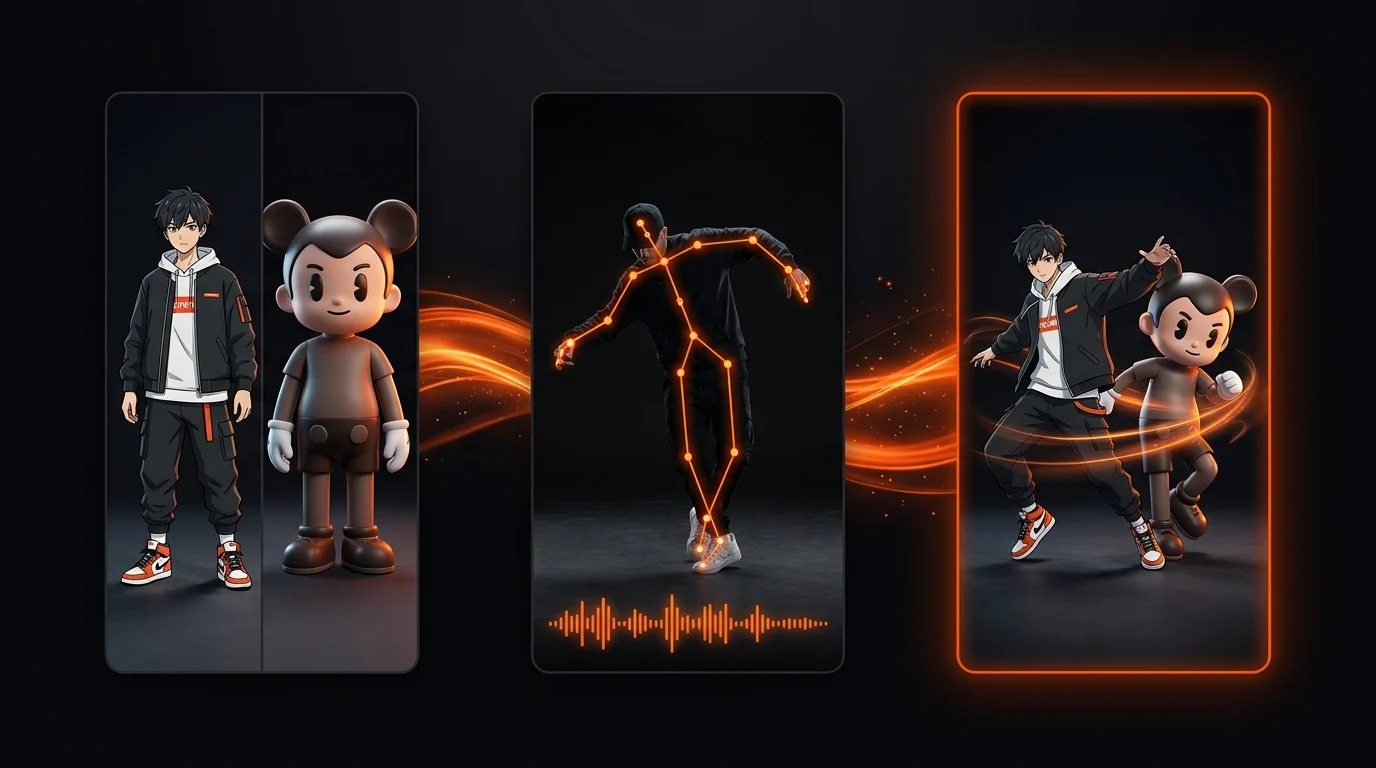
How to Make a Still Photo or Anime Character Dance Like a Reference Video (9:16 Step-by-Step Guide)
Complete tutorial on turning a static portrait, full-body photo, 2D anime character, or 3D mascot into a 9:16 dance video that copies any 3–10s MP4 reference clip—covering input specs, Character Orientation settings, and credit optimization.